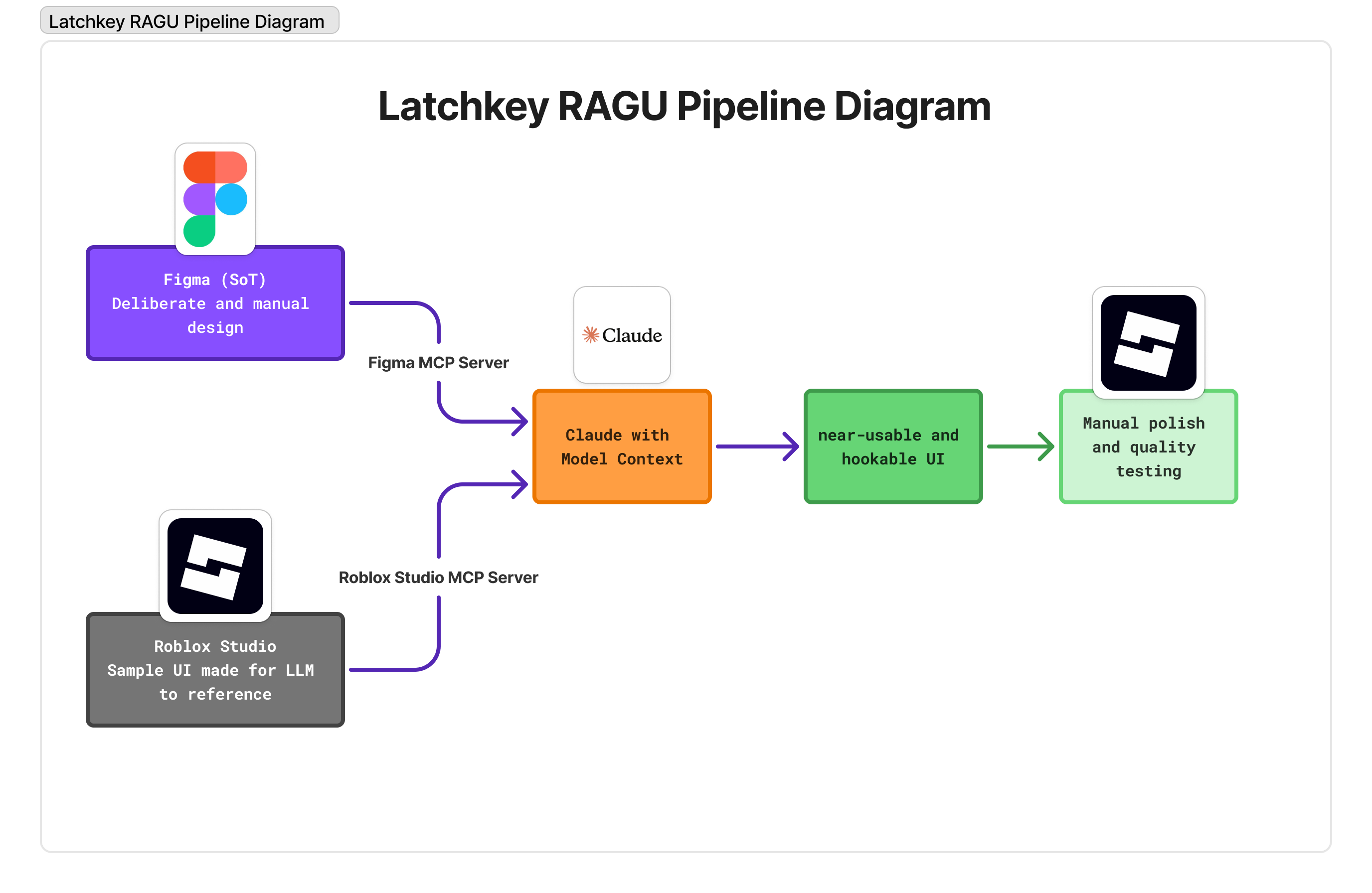
An AI-augmented design pipeline at Latchkey. Figma is the source of truth; Claude reads it via MCP and writes matching Roblox UI structure via MCP to Studio. I polish. The pipeline works because the system underneath — RAGU — is strict.
Role
UI/UX Designer (part-time), pipeline owner
Team
Solo build, deployed across studio
Platform
Figma (design) → Roblox Studio (production)
Tools
Claude + MCP servers (Figma, Roblox Studio)
Duration
Mar 2026 – present
Status
In production
Setup
Latchkey ships fast. Translating a finished Figma design into Roblox UI by hand. For a new studio that wants to work fast, I had to come up with something that could keep up with the pace that AI would be working with.
The opportunity I saw: Figma and Roblox both support MCP servers, and Claude running Opus 4.6 would be quite capable of the UI implementation and wiring with enough guardrails.
What I did — 01
I set up Claude with MCP server access to both Figma and Roblox Studio. Figma is read-only in this pipeline; Studio is the write target. The Figma file holds the source of truth — RAGU-structured components, ViewUIs, stylesheets, all named according to the convention.
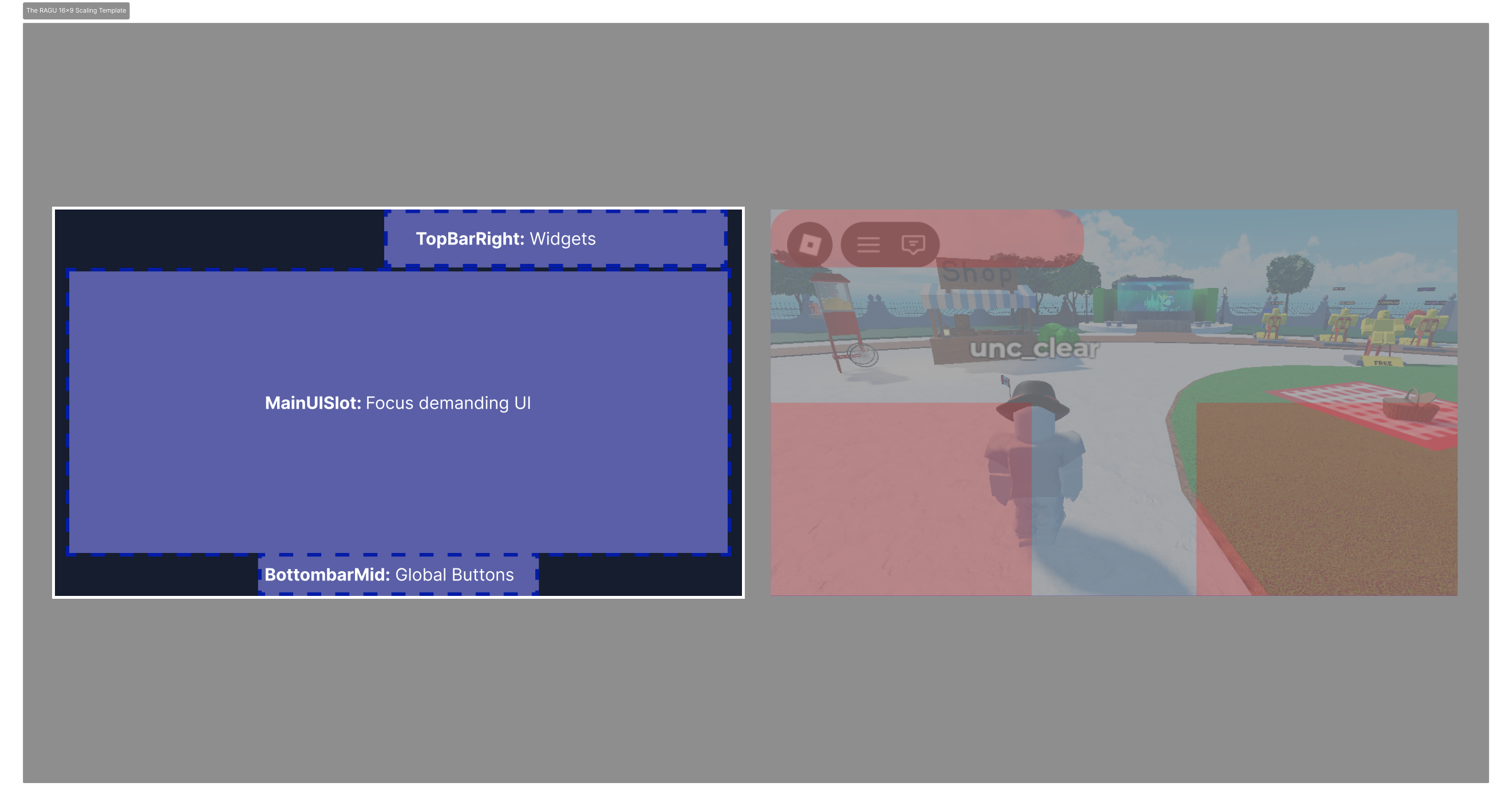
RAGU's strict nesting (CustomElement → ViewUI → slot) is what makes the pipeline work. Predictable structure in, predictable structure out. The model can't fabricate component hierarchies; it has to respect the ones the Figma file defines.
With one, well crafted 16x9 frame rendered and scaled up/down as necessary, I'd take care of most scaling issues inherent to the studio. Text and auto-localization was, in particular, a tricky beast which this system would take care of.
What I did — 02
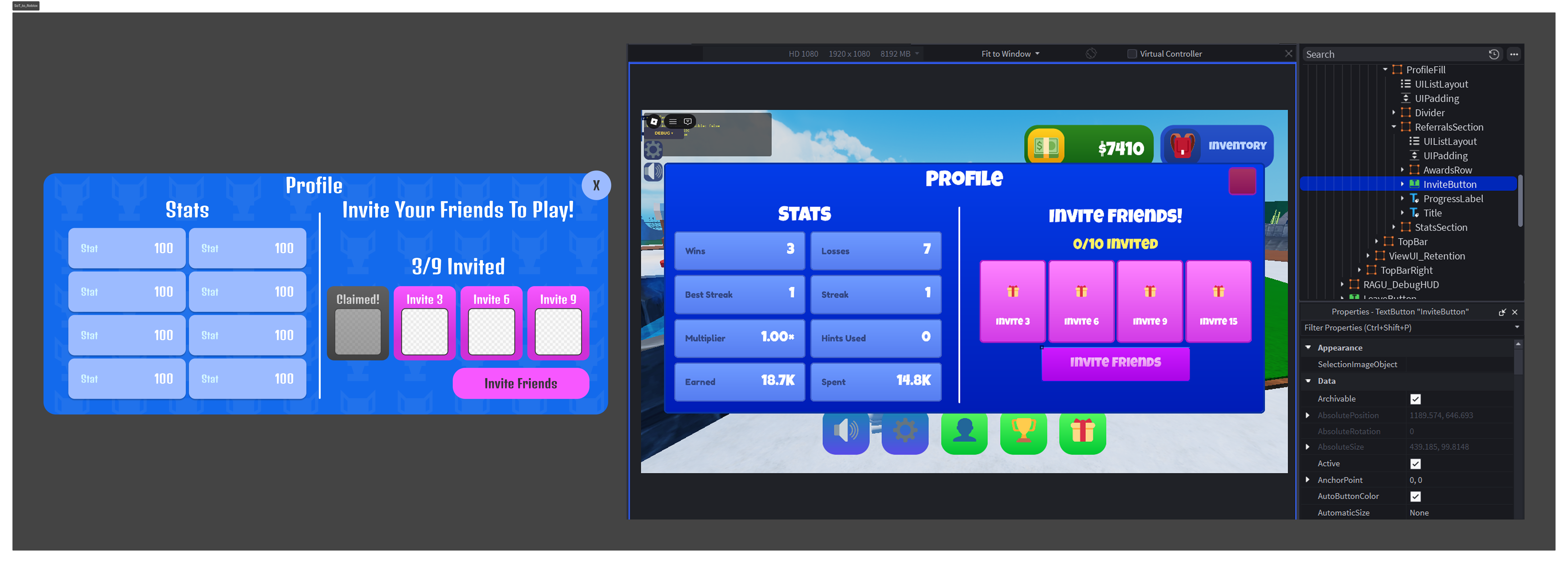
Claude reads the Figma source via MCP, applies RAGU's rules, and writes matching Roblox UI structure into Studio via MCP. Frames, ScreenGuis, nested elements, named references — all in place, all positioned according to the slot framework.
What I did — 03
I review, fix, tune. Spacing tweaks, animation hooks, edge-case handling, anything that requires taste or judgement. With enough rigid boundaries, the work done will be most of the way complete, saving countless hours of manual work especially in iteration.
What shipped
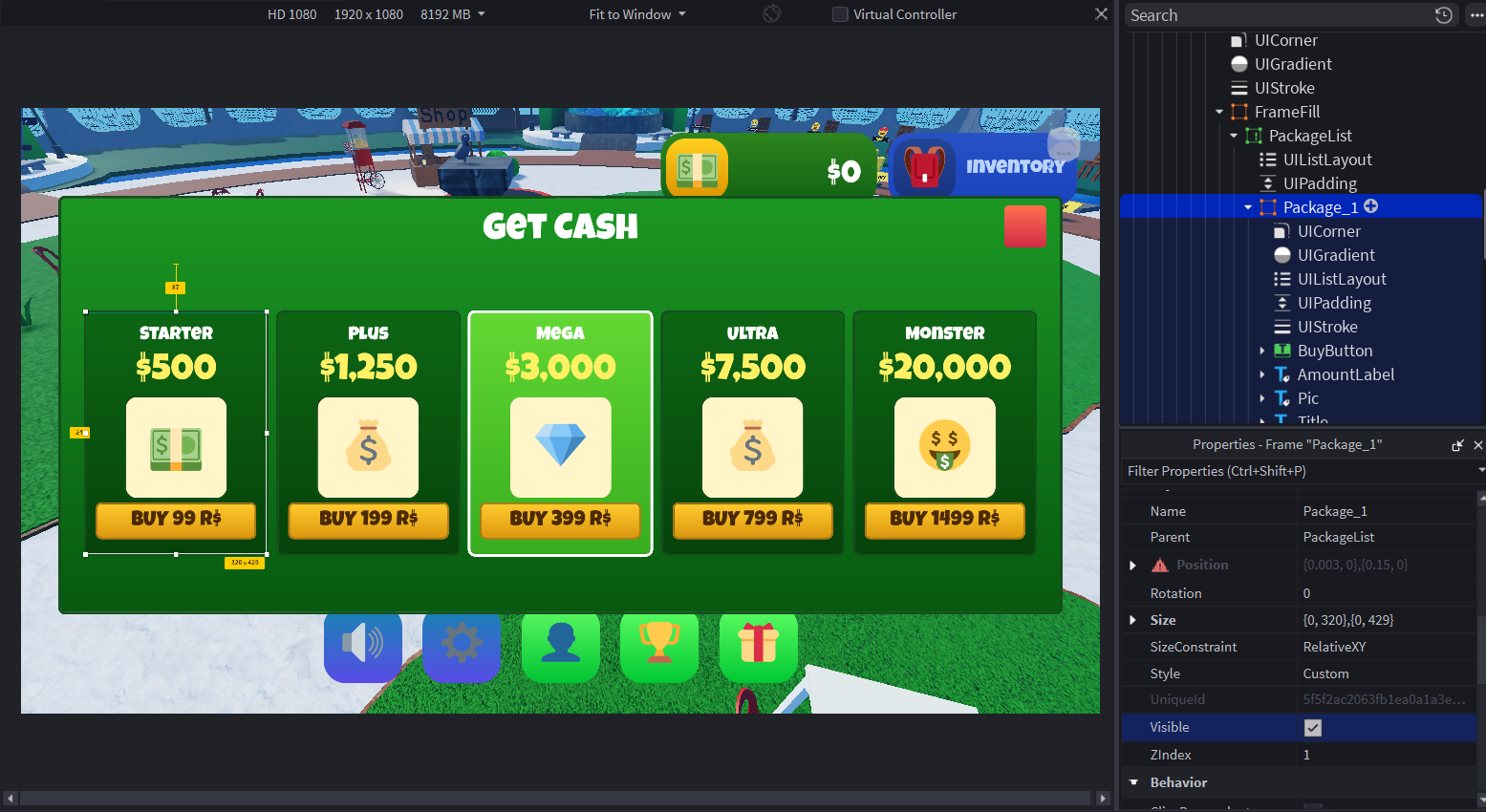
The pipeline is live at Latchkey. The first game running on it is Guess My Animal. What was hours of repetitive Figma-to-Studio work is now generation plus polish — I'm deliberately not putting a hard hours-saved number on it until more games have run through the pipeline and the figure is honest.
Conclusion
There's a difference between using AI tools and building AI-augmented design tools. Either be deliberate, or face the consequences of an AI filling the gaps. The whole point of such a pipeline is allowing human control where it's needed, and alleviating the burdersome task of wiring buttons to the AI.